Git Integration comes as standard with Intellij IDEA 14.x.x
Register GitHub Account in Intellij IDEA
- Intellij IDEA -> preferences (⌘ Comma)
- -> Version Comtrol -> GitHub
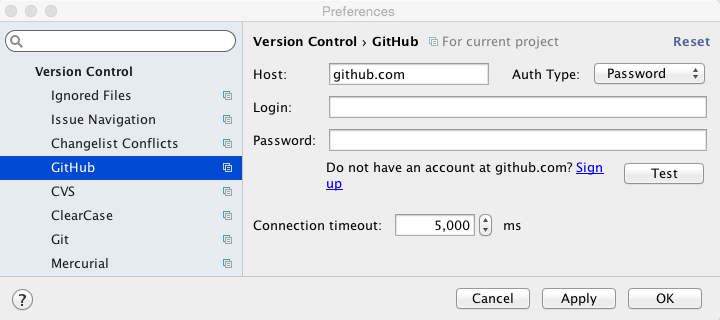
- Enter your login and password and click Test.
- Apply
- OK
Publish Project
VCS -> Import into Version Control -> Share Project on GitHub

- Share
- Select the files you want to version and click OK


 Skills421
Leave a comment