This post follows on from Creating a Simple Java Test Using Fitnesse
Create a Test Page that Uses a Jar File
Go back to the main web page in Fitnesse and click on the red ? next to SimpleJarTest
This will create a new page replace the contents of that page with the following:
!define TEST_SYSTEM {slim}

!path C:\Users\JohnDunning\.m2\repository\com\skills421\examples\fitnesse\SimpleExample\0.0.1-SNAPSHOT\SimpleExample-0.0.1-SNAPSHOT.jar

| com.skills421.examples.fitnesse.Calculator |
| Value1 | Operator | Value2 | calculate? |
| 3.0 | + | 5.0 | 8.0 |
| 2.0 | * | 3.5 | 7.0 |

| import |
| com.skills421.examples.fitnesse |

!| Calculator |
| Value1 | Operator | Value2 | calculate? |
| 3.0 | + | 5.0 | 8.0 |
| 2.0 | * | 3.5 | 7.0 |
| 6.0 | / | 3.0 | 2.0 |
| 5.0 | / | 2.0 | 2.0 |
This is exactly the same as the content for the SimpleClassTest page with the exception that we have changed the path to the location of the jar file in your .m2 directory
Run the Tests
Now save the page and you will see the following:
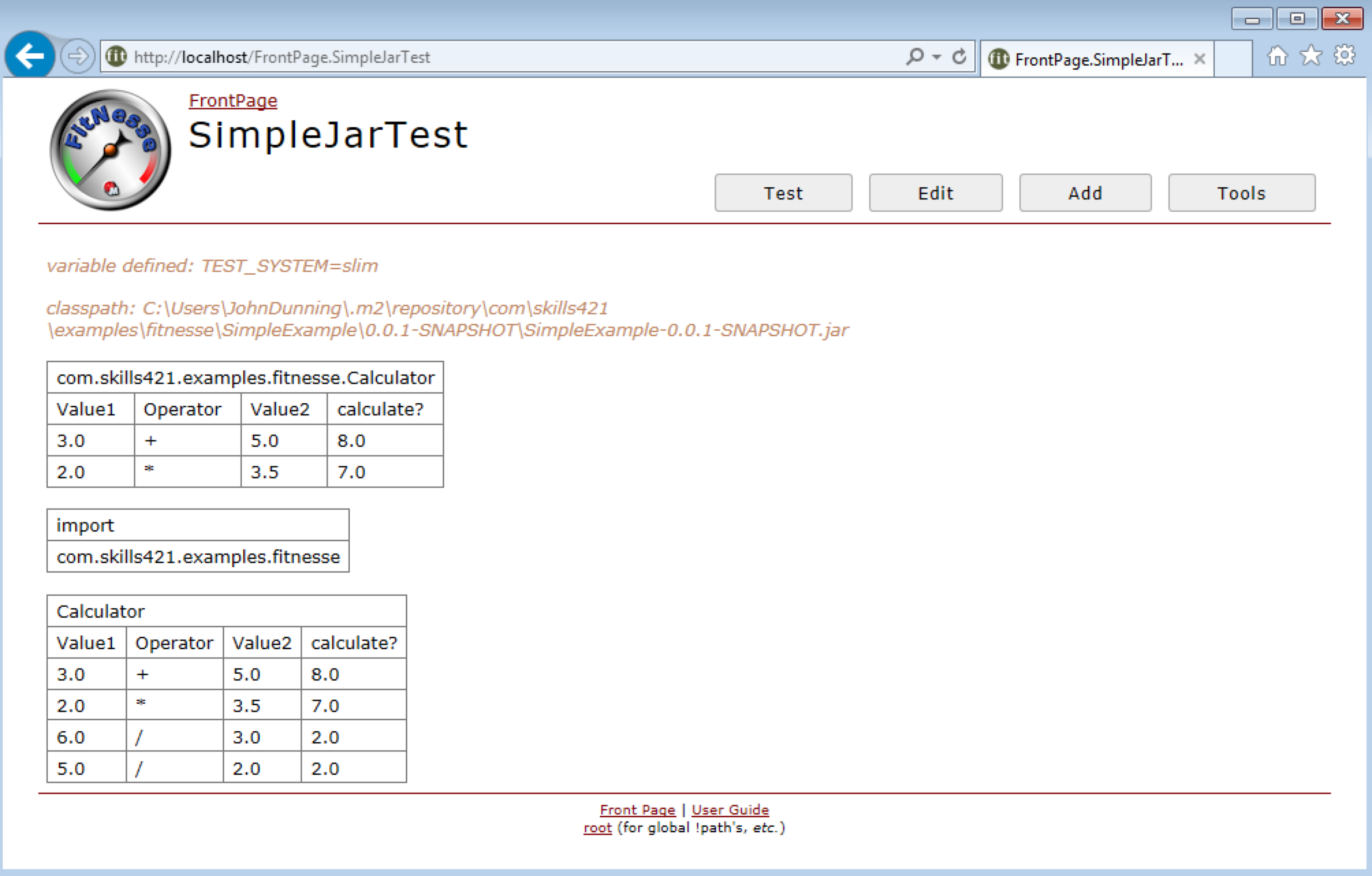
Click the Test button and you will see the following:



 Skills421
Leave a comment