To create tje JavaFX Examples I am going to use Netbeans 8 with Java 8.
Create a JavaFX Project
- Open NetBeans
- File -> New Project -> JavaFX -> JavaFX Application
- Project Name: JavaFX8Examples
- JavaFX Platform: JDK 1.8 (Default)
This will create and open the file javafx8examples.JavaFX8Examples.java
JavaFX8Examples
package javafx8examples;

import javafx.application.Application;
import javafx.event.ActionEvent;
import javafx.event.EventHandler;
import javafx.scene.Scene;
import javafx.scene.control.Button;
import javafx.scene.layout.StackPane;
import javafx.stage.Stage;

/**
*
* @author johndunning
*/
public class JavaFX8Examples extends Application
{

@Override
public void start(Stage primaryStage)
{
Button btn = new Button();
btn.setText("Say 'Hello World'");
btn.setOnAction(new EventHandler<ActionEvent>()
{

@Override
public void handle(ActionEvent event)
{
System.out.println("Hello World!");
}
});

StackPane root = new StackPane();
root.getChildren().add(btn);

Scene scene = new Scene(root, 300, 250);

primaryStage.setTitle("Hello World!");
primaryStage.setScene(scene);
primaryStage.show();
}

/**
* @param args the command line arguments
*/
public static void main(String[] args)
{
launch(args);
}

}
Run the Application
To run the code either click Run Project or right click the file and select Run file
Your application will open a simple Frame as per below:
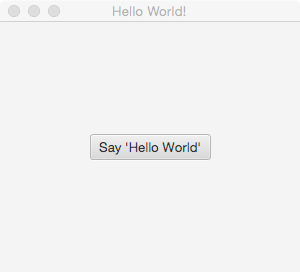
Click on the Say ‘Hello World’ button and “Hello World” will be displayed in the Netbeans Output Window.
Summary
The salient parts of our code are as follows:
- JavaFX8Examples extends Application
- public static void main(String[] args), calls Application.launch()
- Application.launch() calls public void start(Stage primaryStage)
- The application uses a Stage
- A Sene is set on the stage which is initialised with a Stackpane
- All other Components (Nodes) such as Buttons, are added as children of the Stackpane
- The Stage is displayed.
Source Code
The source code for this project can be found on GitHub at https://github.com/johndunning/JavaFX8Examples


 Skills421
Leave a comment